MindiTalk to us

Product tour · Coming 2027

One class. Three views of it.

The room follows the workout. The member gets a coach of their own. The owner sees where a human check-in could help. Here’s what those three experiences look like.

This walkthrough uses sample data and shows features planned for launch. Select any screen to open it full-size.

See what each person does

On the same class plan.

Owners: follow up while it still matters.
Review attendance, spot a break in someone’s routine, and choose whether to send a check-in. See the owner workflow.
Coaches: coach the room, not the timer.
Set the movements, rounds and intervals so the room can follow one clock. See the class display.
Members: make a plan you can follow.
Connect your wearable, ask Juniper for a meal idea around your class, then review the exercises you logged. See the member workflow.

01 / Shared class screens

From the first interval to the final score.

The coach sets the work. The wall shows the timing and what’s next. Members can stay with the room and keep their coaching cues in their own earbuds.
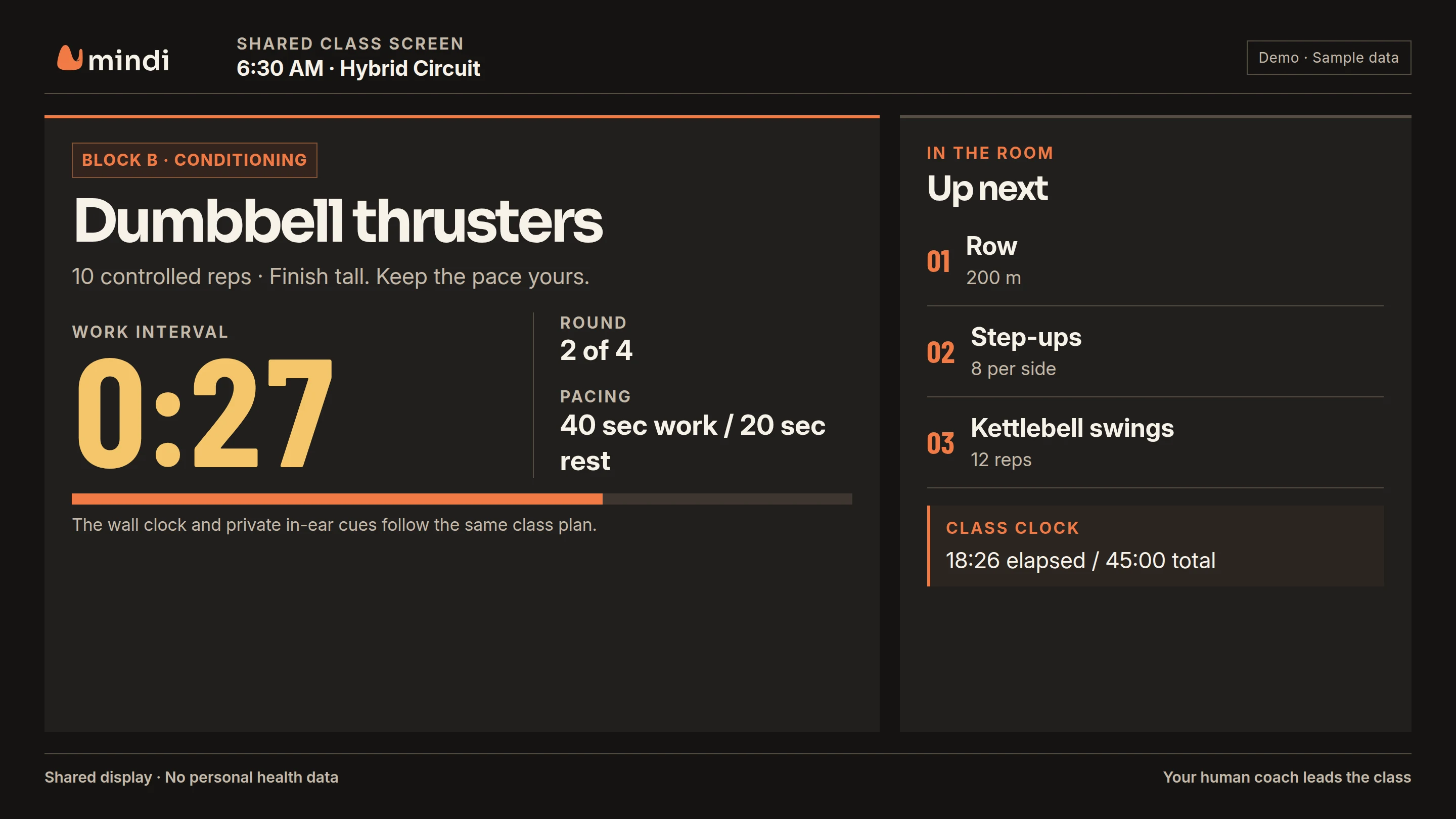
Class screen: dumbbell thrusters this round, 27 seconds on the work clock, then row, step-ups, and kettlebell swings.
Live class command screen. The current movement, round, work/rest clock, and next stations are visible from the floor. The timeline follows the coach’s program.
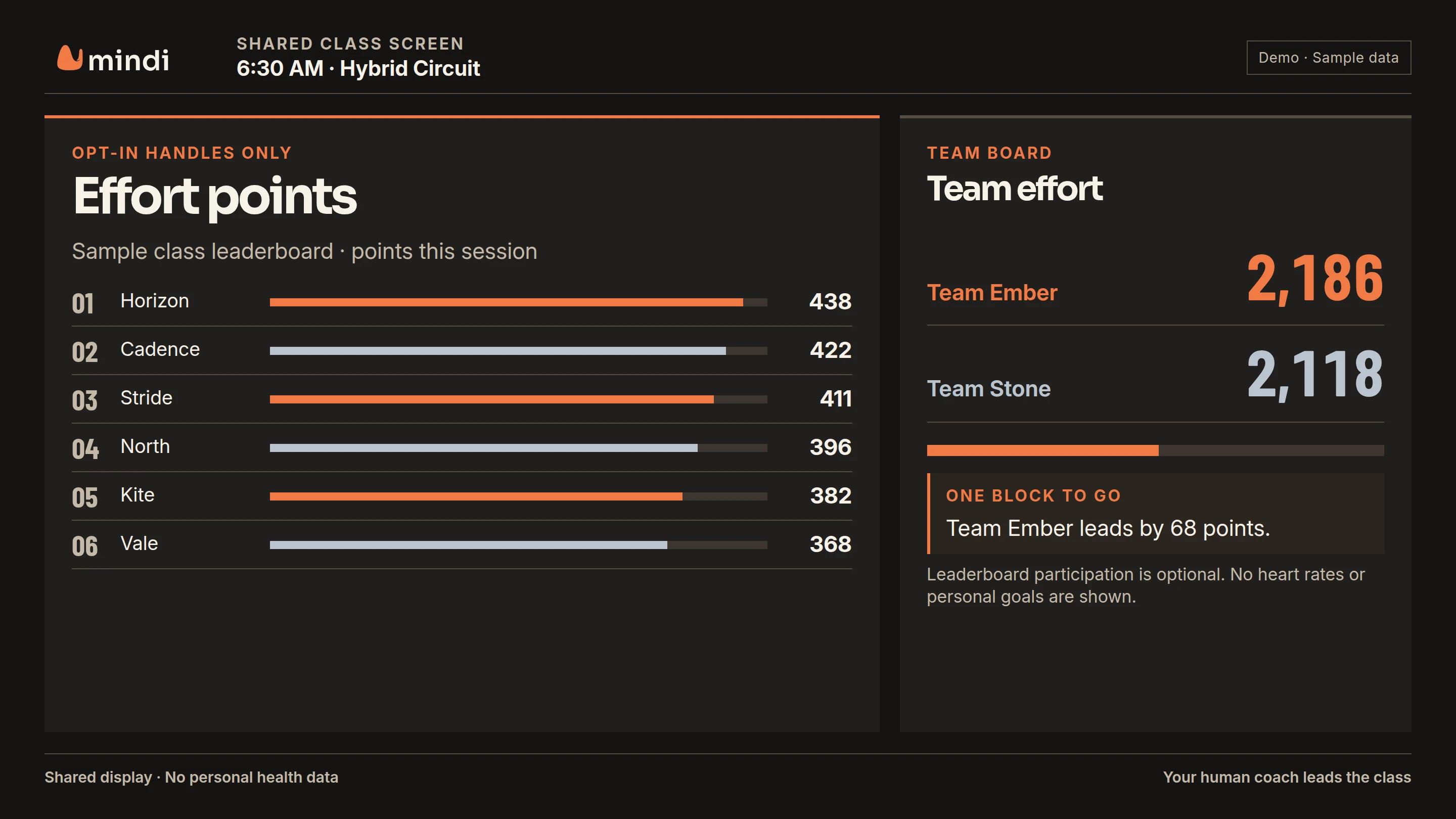
Opt-in team effort comparing Team Ember and Team Stone with aggregate scores and chosen handles.
Opt-in team effort. Team totals and chosen handles give classmates something to rally around. The wall doesn’t show private health data, personal goals or chats.
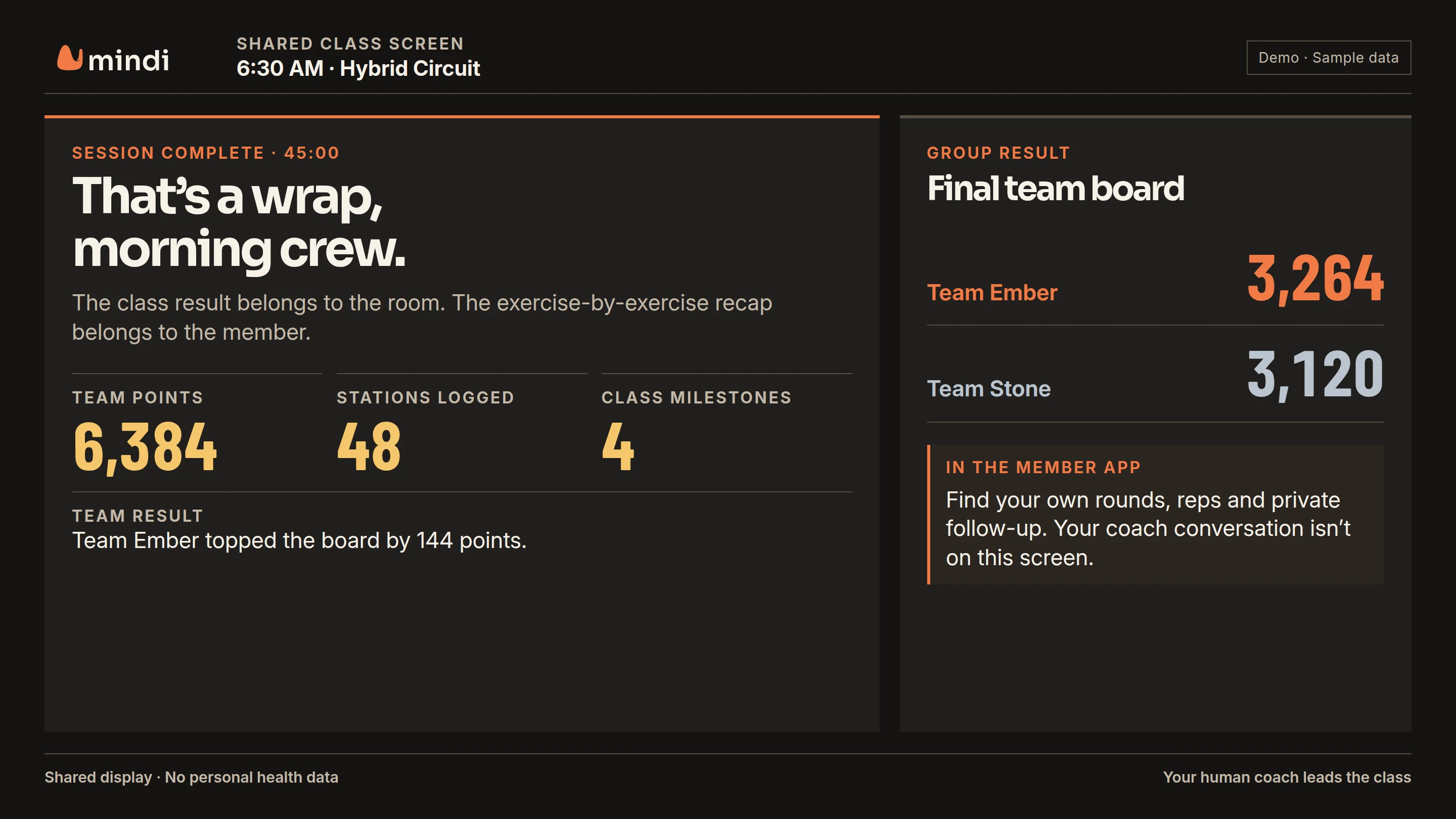
Shared after-class recap showing the group result, stations logged, and class milestones without individual health measures.
After-class recap. Celebrate the room’s result together. Each person’s detailed rounds, reps and follow-up belong in the member app.

02 / Private member app

The coach stays with you between classes.

A member can choose their coach’s name, personality and voice, then bring permitted wearable summaries into the app. See how Juniper answers an everyday meal question and confirms a reminder, without bringing that conversation into the gym dashboard.
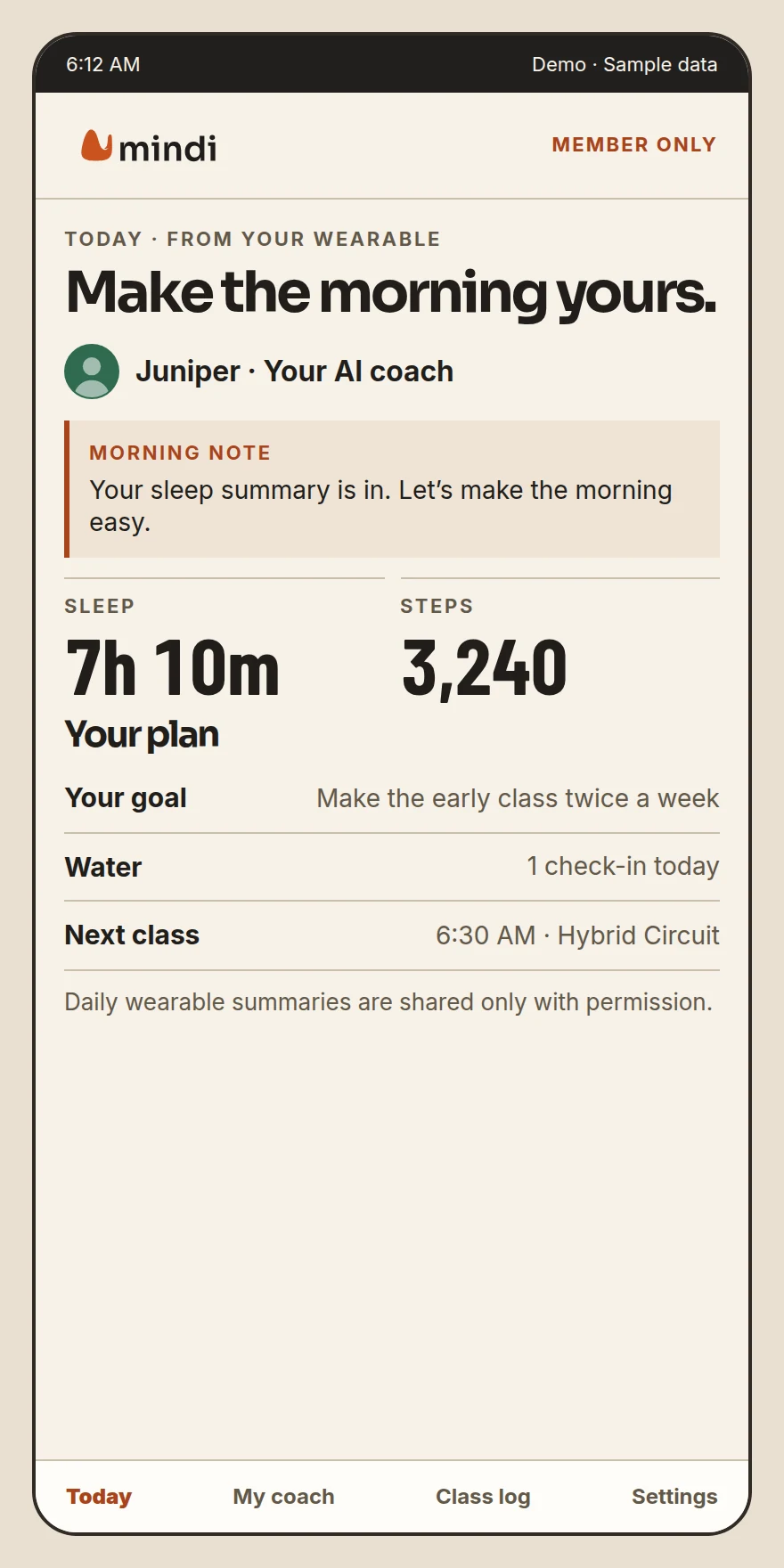
Private Today screen showing wearable sleep and step summaries, a morning note, a goal and the next class.
01 / Today. Check your sleep summary, water, goal and next class without hopping between apps. Only permitted daily wearable summaries leave the phone.
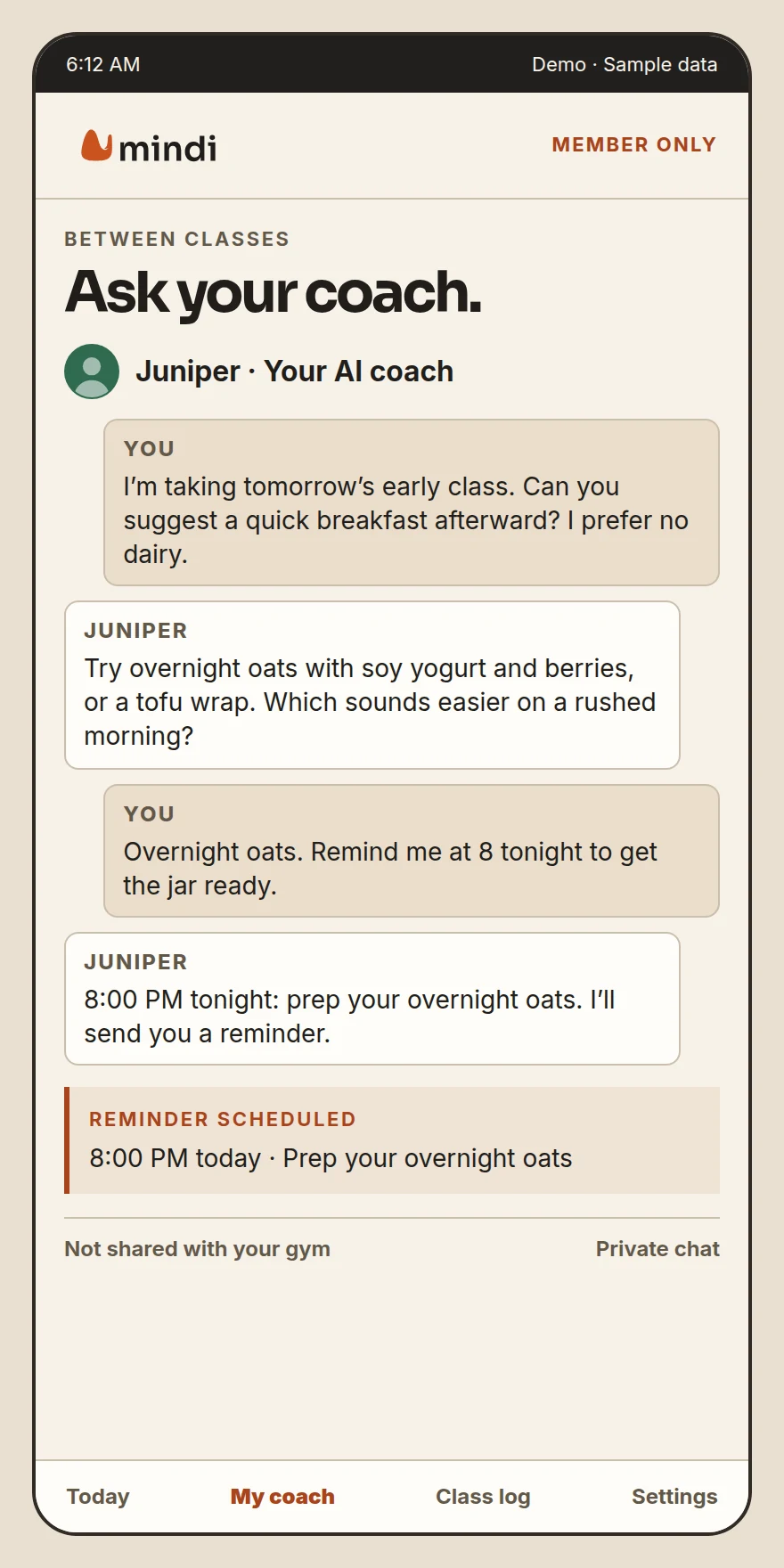
Private chat: a member asks Juniper for a quick dairy-free breakfast after class and requests a reminder to prepare oats.
02 / A conversation with Juniper. The member asks for a quick dairy-free breakfast after tomorrow’s class. Juniper offers two ideas and confirms the 8:00 PM prep reminder the member requests.
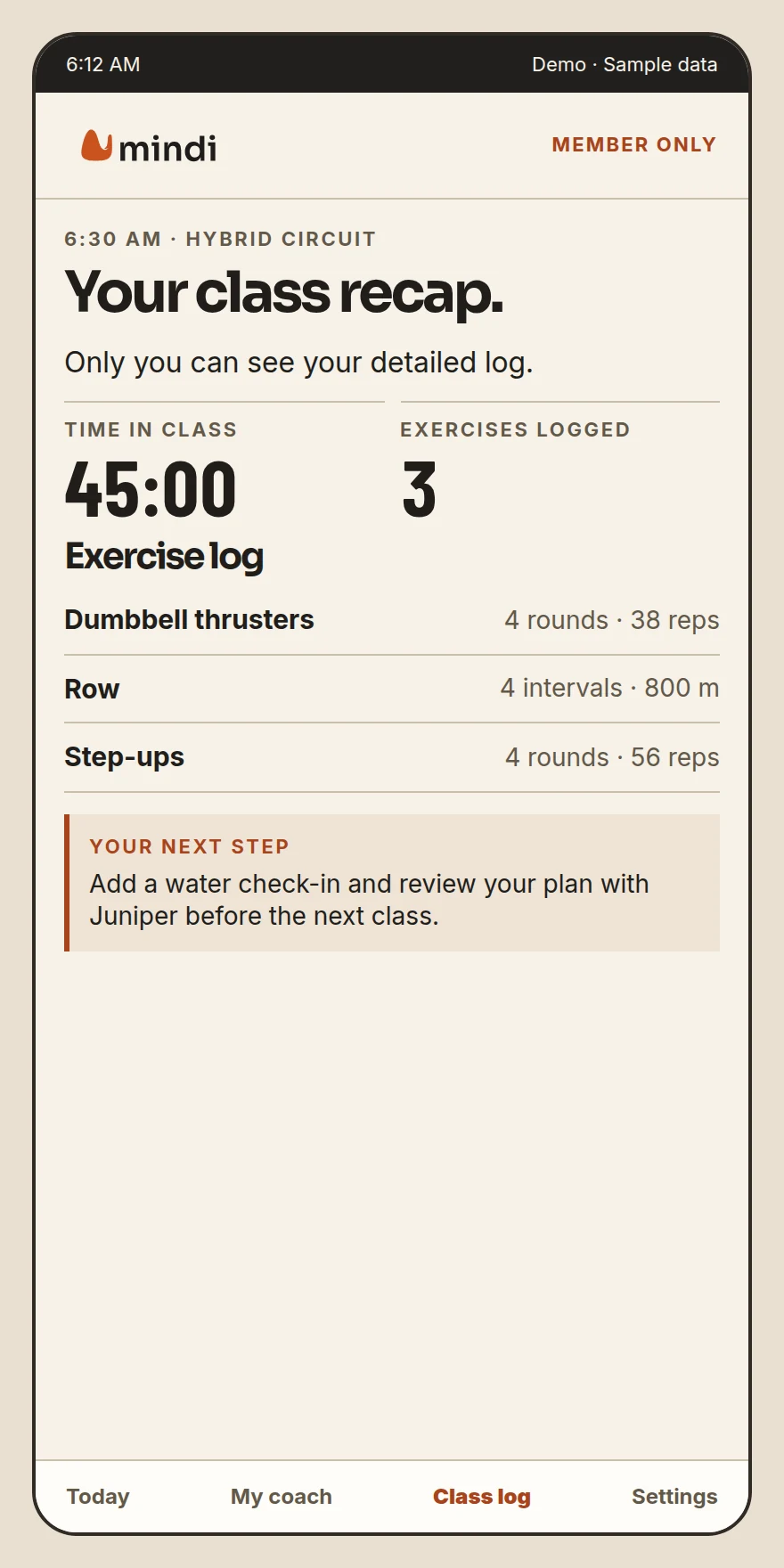
Private class recap listing thruster reps, rowing distance and step-up reps by exercise.
03 / My class recap. See what you logged for each exercise, not just a final score. Take one next step before you come back.

03 / Owner dashboard

Know when a personal check-in would help.

Your gym can use attendance and progress members consent to share to spot gaps, recognize consistency and make follow-up personal. Private coach conversations stay out of the dashboard.
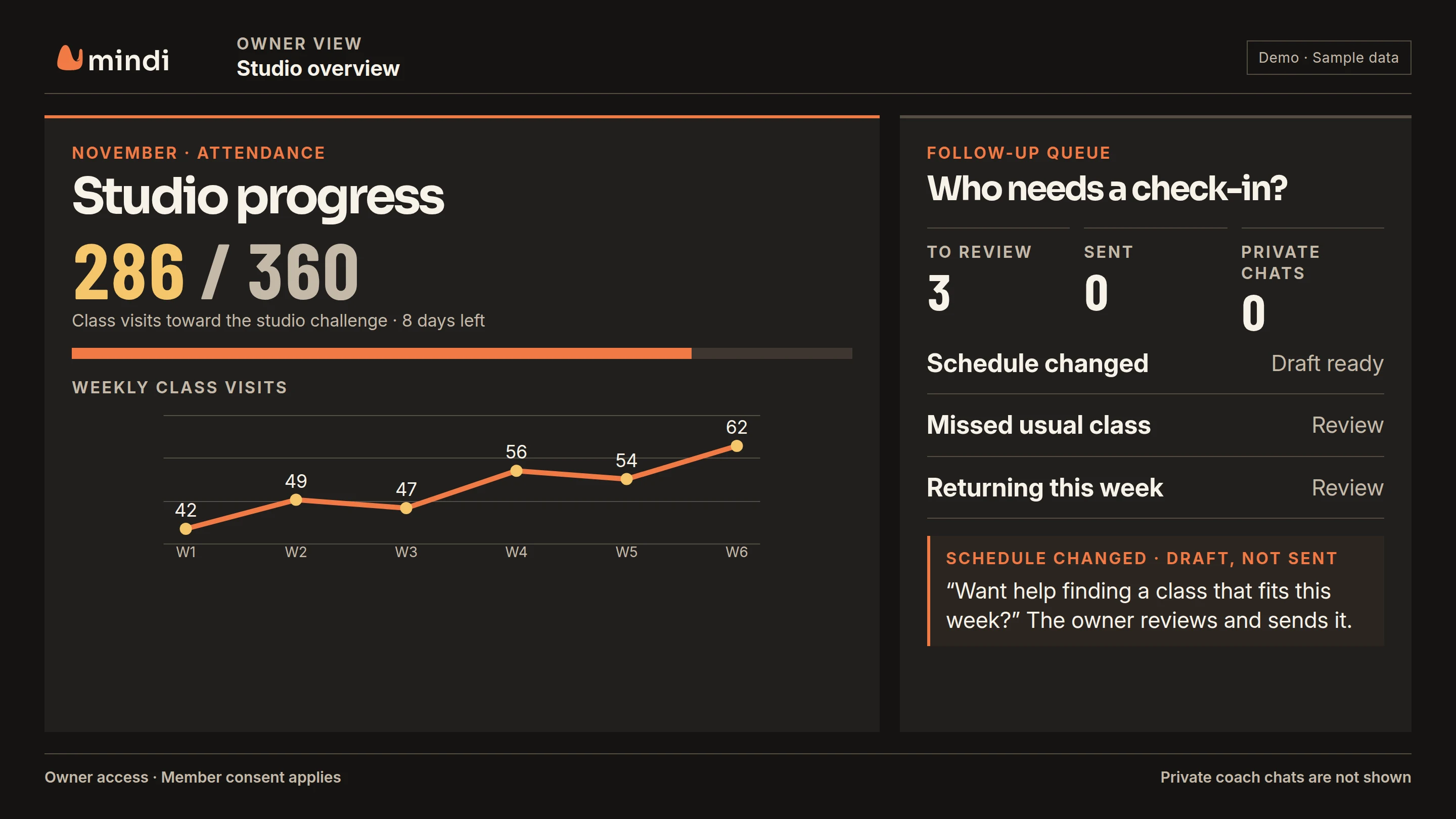
Studio dashboard showing aggregate attendance and a draft follow-up queue waiting for owner review.
Studio progress and follow-up. Review the attendance trend, see what warrants a check-in, and edit a draft before you send it. Mindi doesn’t send this message on your behalf.
What’s shared and what stays private

04 / Setup and privacy

Set it up once. Keep control always.

Members personalize their coach, connect a wearable and choose what the gym sees. Owners launch under their own brand from a single checklist.
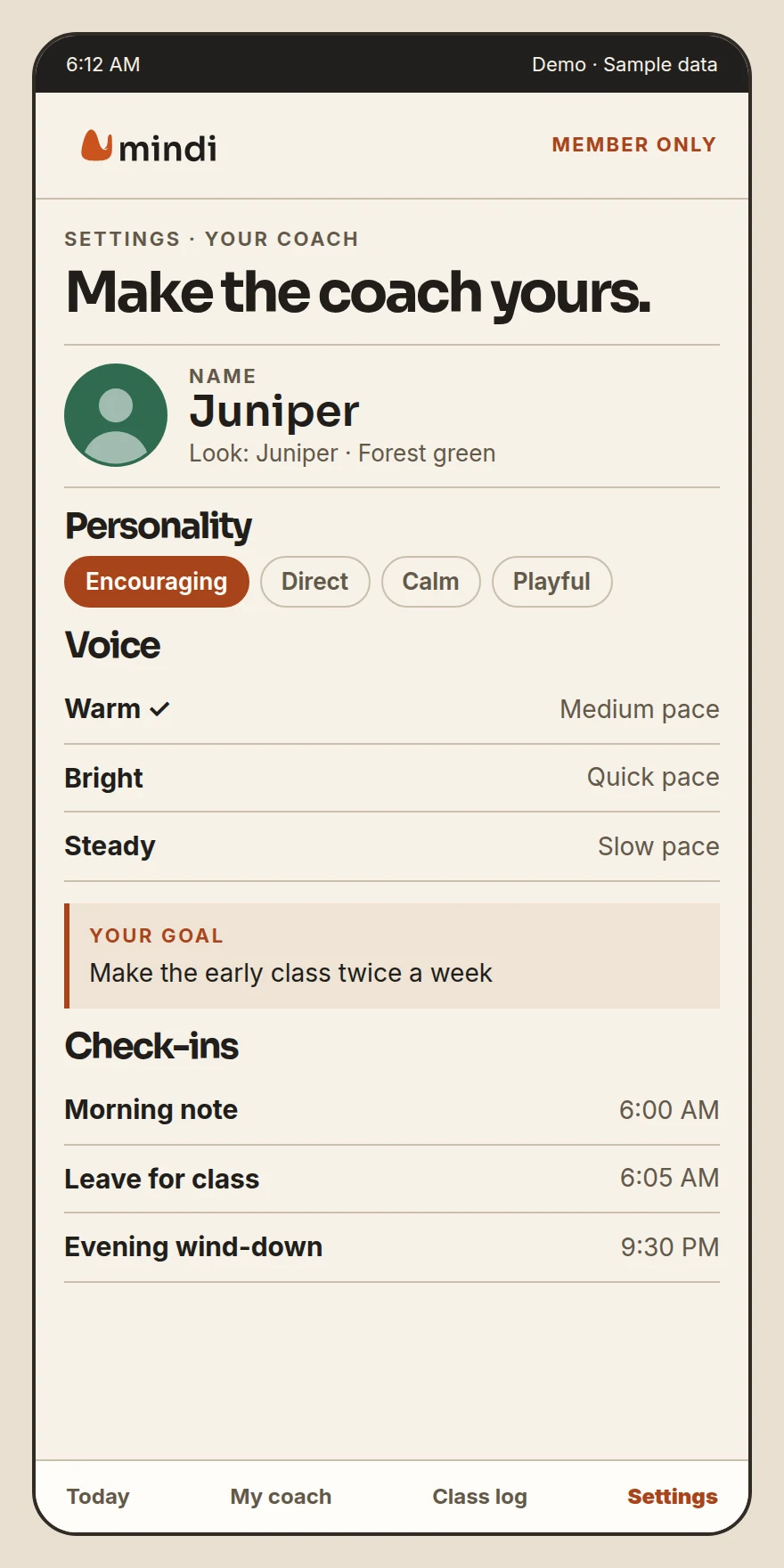
Coach settings: the member names the coach Juniper, picks an encouraging personality and a warm voice, and sets morning and evening check-ins.
Make the coach yours. Name, look, personality, voice and check-in times.
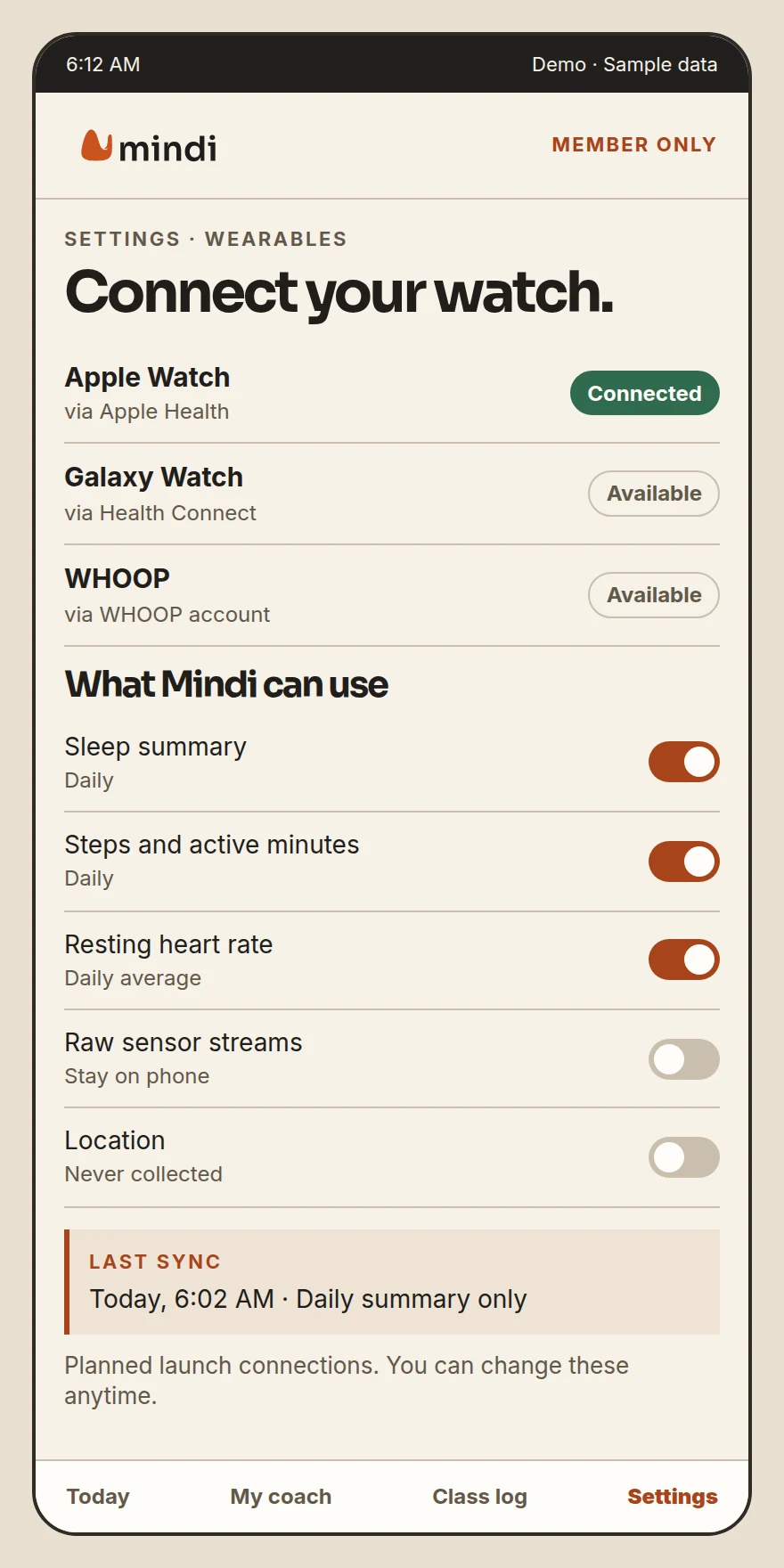
Wearable settings: Apple Watch connected through Apple Health, Galaxy Watch and WHOOP available, with daily summaries on and raw sensor streams and location off.
Connect a wearable. Planned launch connections and the exact daily summaries shared.
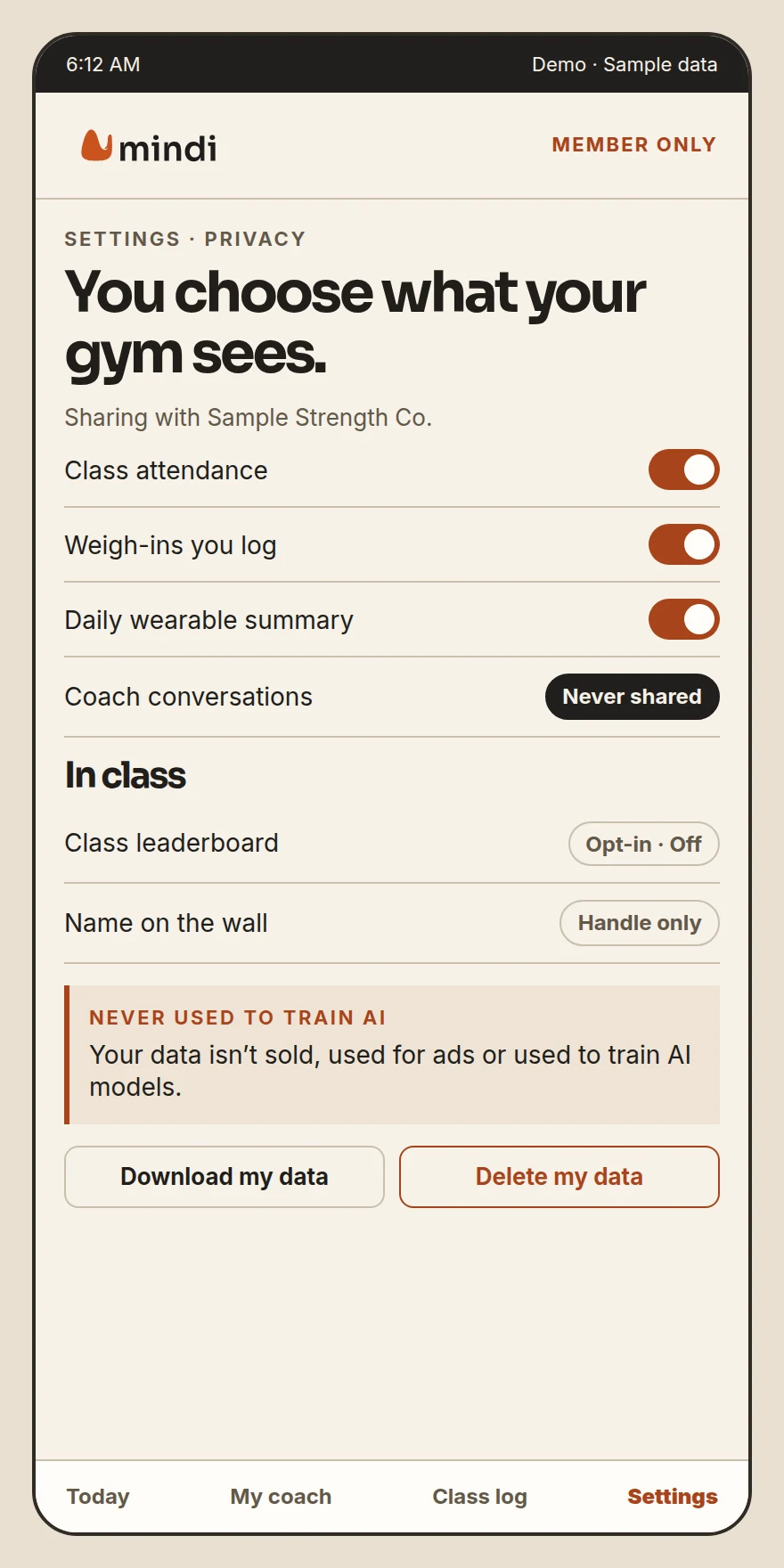
Privacy settings: class attendance, logged weigh-ins and daily wearable summary shared with the gym; coach conversations never shared; download and delete my data buttons.
Sharing controls. The member decides what the gym sees. Download or delete data anytime.
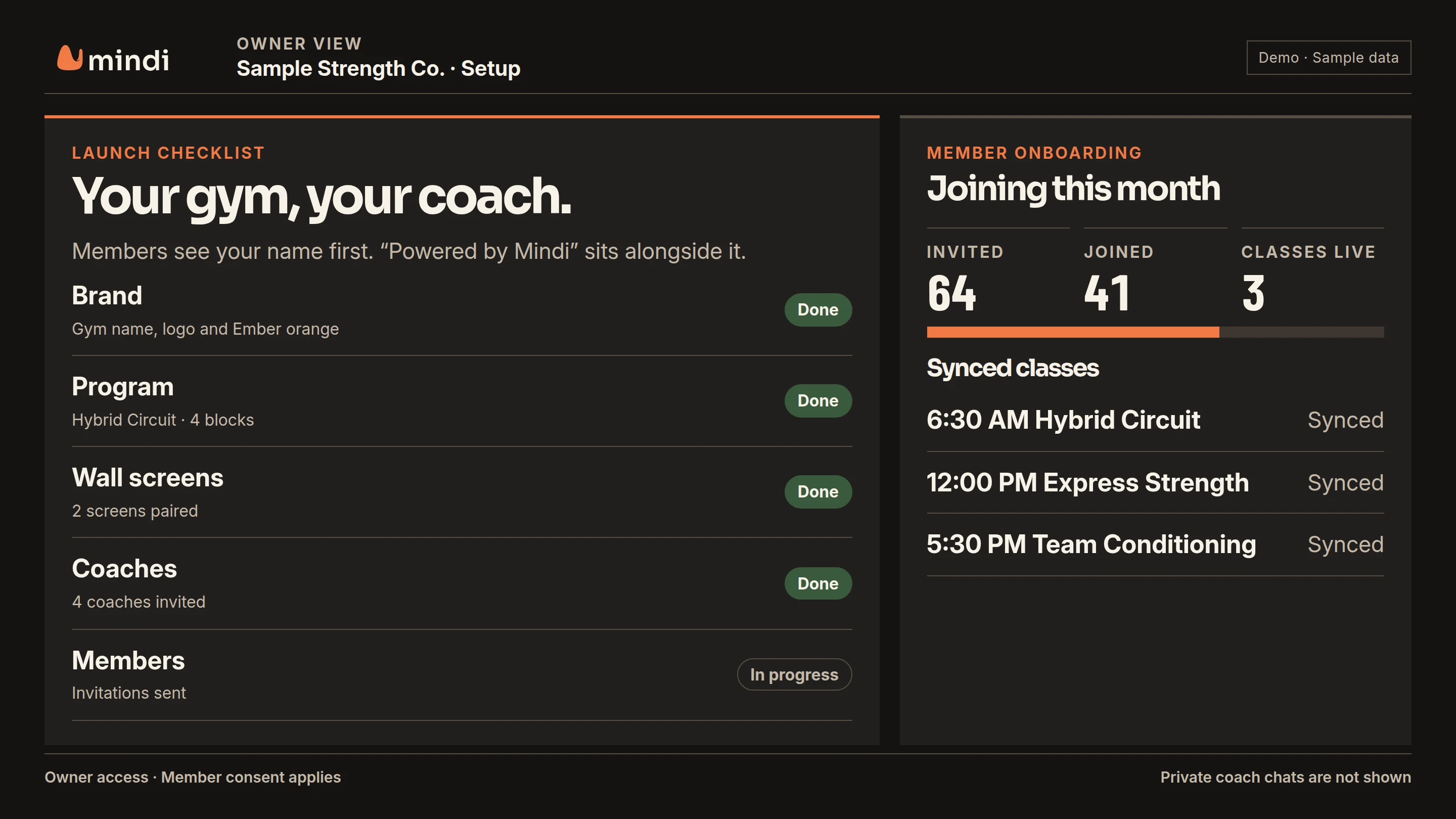
Owner setup: launch checklist for gym brand, program, wall screens, coaches and member invitations, with 41 of 64 invited members joined.
Gym setup. The owner sets the brand and program, pairs wall screens and tracks member invitations.

For your gym

Show us a class you already run.

Tell us how your coach programs it, how members check in, and where you’d like to give them more individual support.

Bring Mindi to your gym